
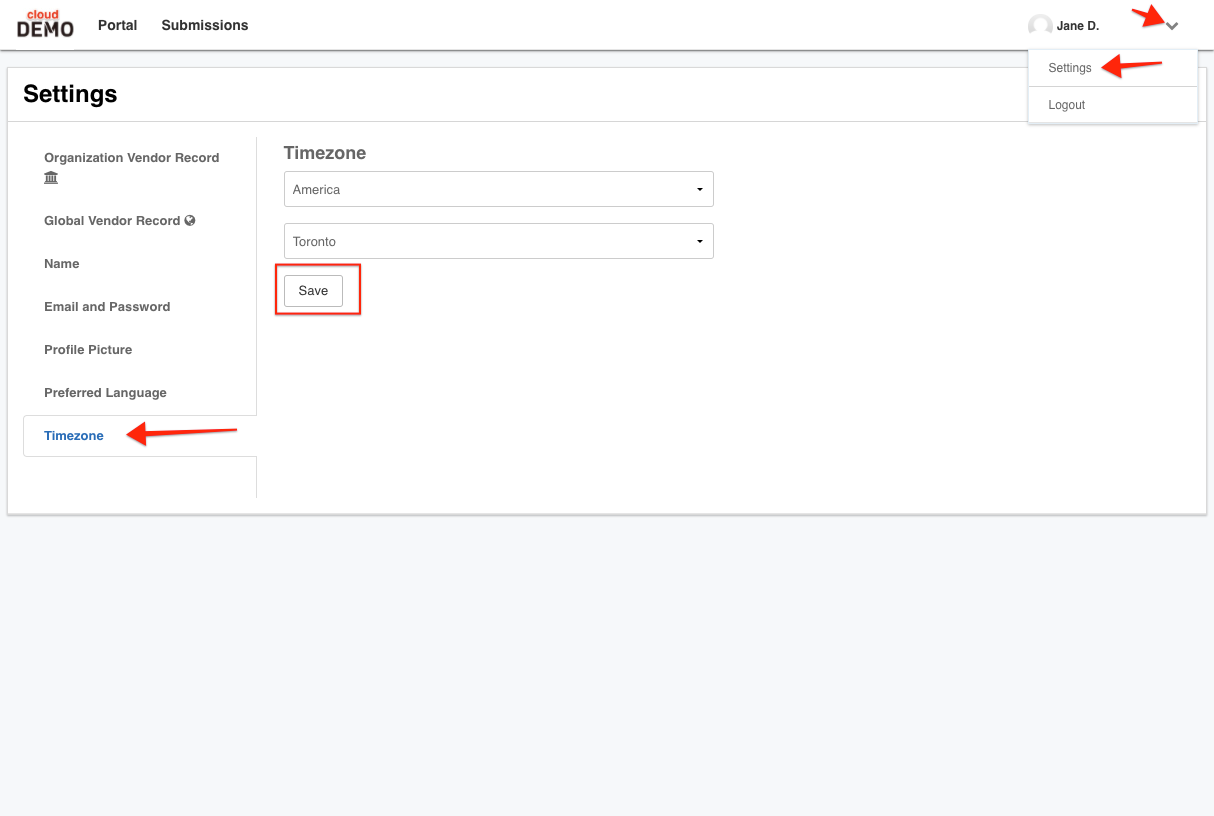
y default, the timezone that appears on each portal will be relative to the timezone of theOrganization. You can update your account settings to reflect your own timezone in the event it differs from that of the Organization.
To access your account settings, you will need to first sign in. Once signed in, click on the chevron beside your name to navigate to theSettings. Then, click on theTimezonetab to the left.
Select your Country and City (or closest city) from the two drop-down menus. Make sure toSaveyour changes.
Comments
0 comments
Please sign in to leave a comment.